Deprecated: Using null as an array offset is deprecated, use an empty string instead in /home/u519450251/domains/efficient-is.co.uk/public_html/wp-includes/functions.php on line 1194
Local Government & Councils Archives | Efficient IS Skip to main content

Is Efficient IS Approved on the Scotland Excel Framework?

Is Efficient IS Approved on the Scotland Excel Framework?

A direct answer for procurement teams checking supplier status before they call off.
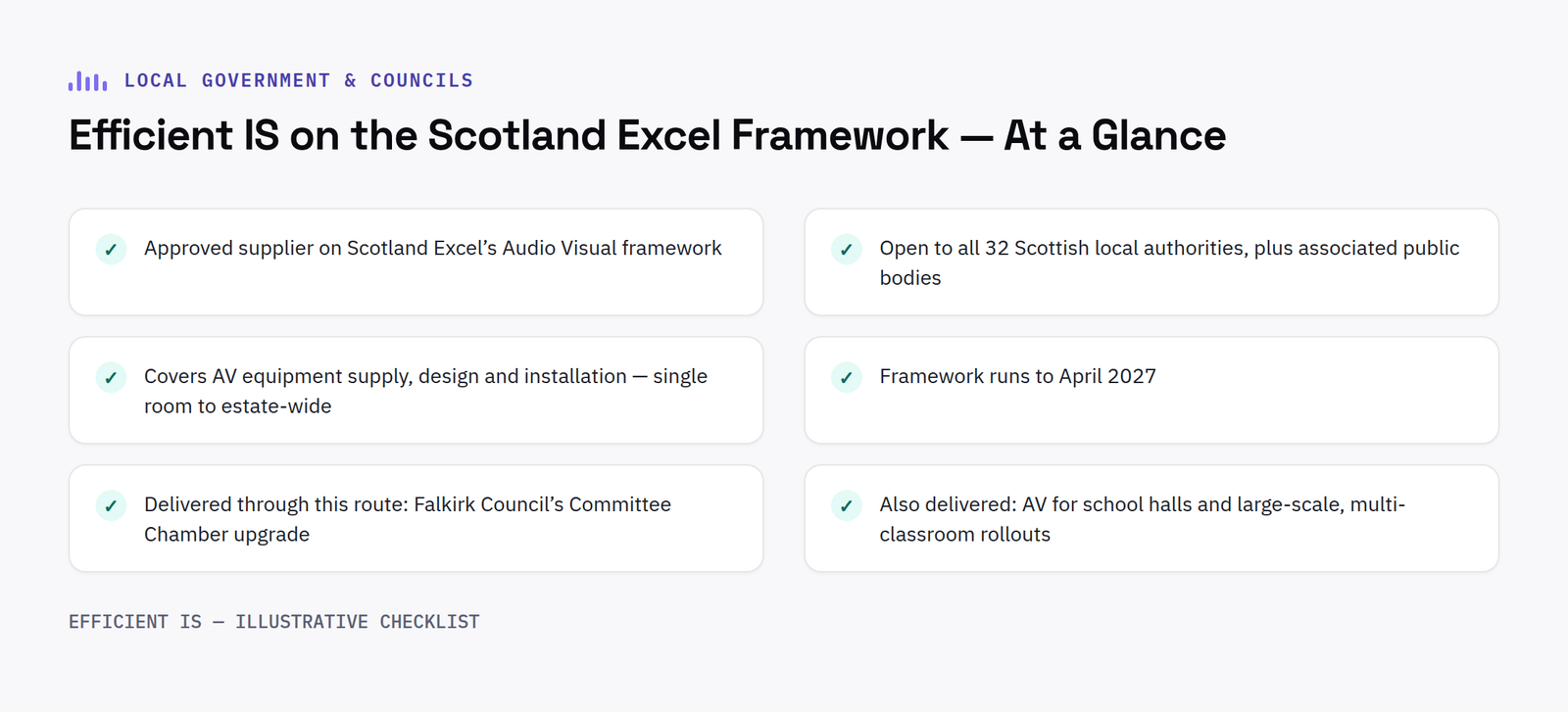
Scotland Excel approved supplier: Efficient IS on the framework at a glance - approved AV supplier, all 32 local authorities, supply/design/installation, runs to April 2027, delivered projects including Falkirk Council, school halls and large-scale classroom rollouts

Yes, Efficient IS is a Scotland Excel approved supplier, one of a small number of suppliers approved on Scotland Excel’s Audio Visual framework, giving all 32 Scottish local authorities and associated public bodies a pre-vetted, compliant route to AV equipment supply, design and installation.

Scotland Excel is Scotland’s national centre of procurement expertise for the local government sector. Approval on its Audio Visual framework means eligible organisations can call off Efficient IS’s services through a route that already satisfies most procurement teams’ own governance requirements, rather than running a separate tender.

What that covers

The framework covers AV equipment supply, design and installation: from single-room projects to estate-wide rollouts, and runs to April 2027, giving continuity for multi-year and phased programmes.

We’ve delivered through this exact route before as a Scotland Excel approved supplier: Falkirk Council’s Committee Chamber upgrade, wireless conference and electronic voting, auto-tracking cameras and live streaming, was procured through Scotland Excel and delivered on time and on budget. See the Falkirk Council case study, or the full detail on our Scotland Excel framework page and our guide to procuring AV via Scotland Excel.

Questions worth asking

FAQ

Is Efficient IS a Scotland Excel approved supplier?

Yes, Efficient IS is one of a small number of suppliers approved on Scotland Excel’s Audio Visual framework, which runs to April 2027.

Who can call off Efficient IS’s services through Scotland Excel?

All 32 Scottish local authorities, plus a range of associated public bodies and other organisations eligible to use Scotland Excel frameworks.

Does the framework cover installation as well as supply?

Yes, the framework covers AV equipment supply, design and installation, from single-room projects to estate-wide rollouts.

Has Efficient IS delivered a project through this framework before?

Yes, Falkirk Council’s Committee Chamber AV upgrade, including electronic voting and live streaming, was procured through Scotland Excel and delivered on time and on budget.

How the call-off process actually works

For an eligible organisation, working with a Scotland Excel approved supplier like Efficient IS starts with getting in touch directly rather than opening a fresh procurement exercise. The typical steps are straightforward: confirm eligibility as one of the 32 Scottish local authorities or an associated public body such as an eligible NHS board, college or university, share the project scope and any existing drawings or requirements, and receive a quote built against the framework’s already agreed rates and terms.

There is no separate competitive round for an individual project, because that competition already happened when Efficient IS was appointed to the framework in the first place. That is the whole point of using a framework this way: procurement teams still get the governance trail they need internally, a documented supplier selection and a defined scope of services, without running a full tender for every individual AV project a council or public body wants to deliver.

Projects delivered through the framework so far have ranged from single committee room upgrades to phased, multi-site rollouts across a local authority’s wider estate, covering everything from wireless conferencing and electronic voting through to full audio visual fit outs for new build council facilities. Continuity matters here too: because the framework runs to April 2027, an authority planning a phased programme, one committee room this year, a second chamber the year after, can use the same approved route and the same supplier relationship throughout, rather than re-tendering at each stage. That consistency also makes ongoing support simpler once a project is live, since the team maintaining the system is the same team that specified and installed it.

Checking a supplier for a live procurement?

Get in touch and we’ll confirm the framework details your paperwork needs.
📞 0845 095 3600  ·  ✉ info@efficient-is.co.uk

Book a discovery call

Delegate Conference & Microphone Systems Explained: Council Chambers and Boardrooms

Delegate Conference & Microphone Systems Explained: Council Chambers and Boardrooms

What looks like a simple gooseneck microphone at each seat is usually the visible end of a networked system doing a lot more underneath, from speaking queues and camera tracking to, increasingly, the vote itself.

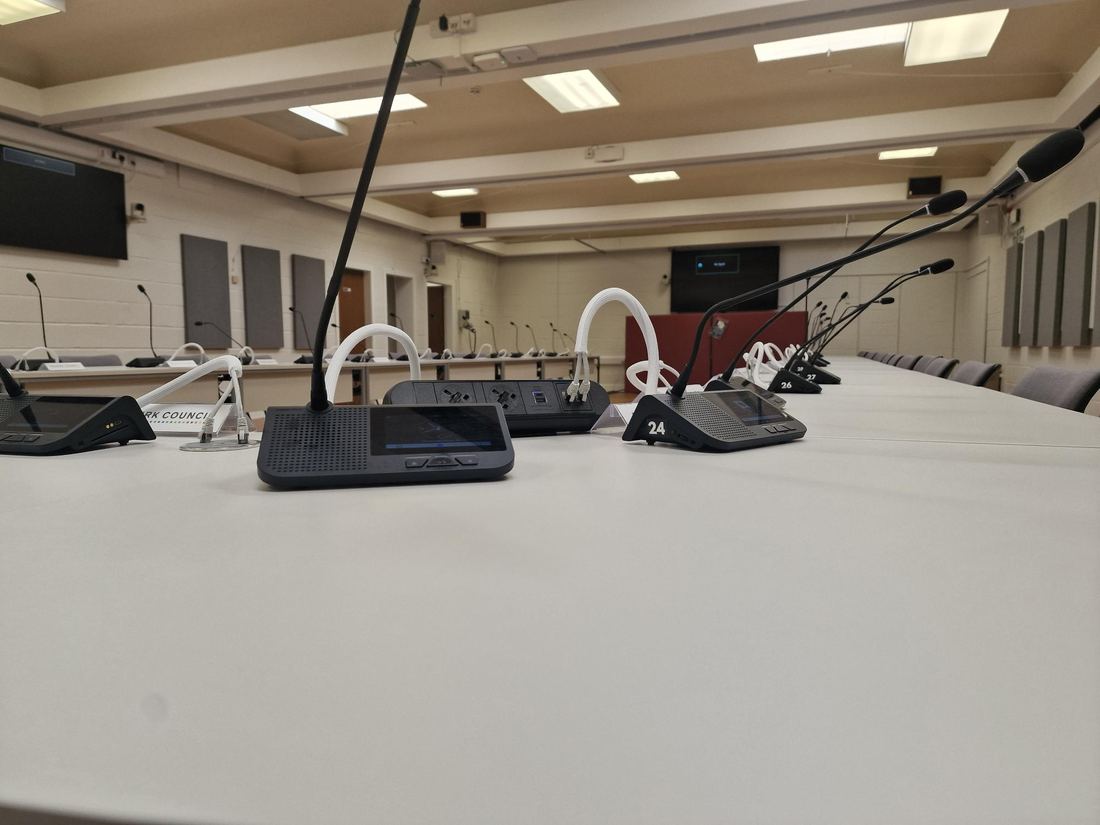
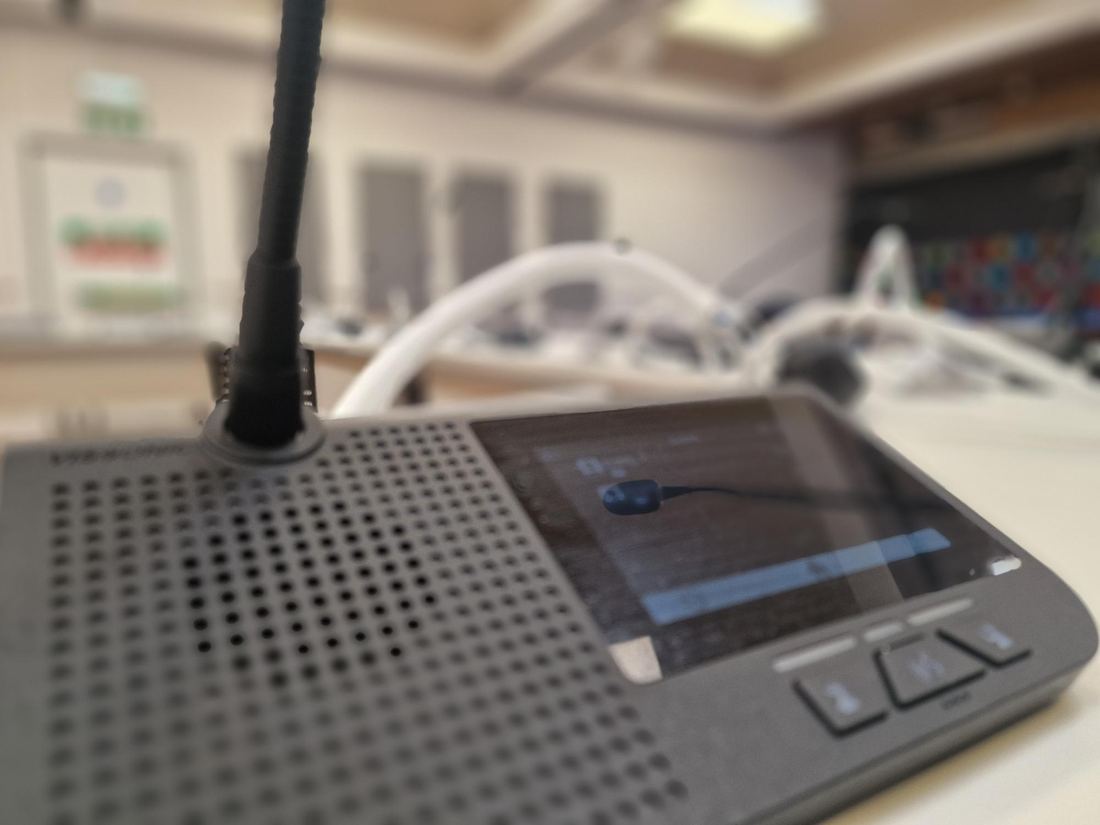
Close-up of a single delegate conference microphone unit installed in Falkirk Council's committee chamber

A delegate conference system is the network of individual microphone and control units, one per seat, that lets a chamber or boardroom manage who’s speaking, who’s requesting to speak, and increasingly who’s voting, all from one central point rather than a single shared microphone being passed around or left permanently live.

It’s a specific, well-established category of AV equipment, not a generic “microphone system,” and the distinction matters when it comes to specifying one: what looks like a simple gooseneck microphone at each seat is usually the visible end of a networked system doing a lot more underneath.

What a delegate unit actually does

Each position, whether a simple push-to-talk microphone or a full touchscreen discussion unit, is individually addressable on the network. That’s what allows a chairperson or an operator to control who’s live at any moment, set a limit on how many microphones can be open simultaneously to avoid a chamber talking over itself, and manage a speaking queue where delegates request the floor and are brought in in order. On a touchscreen unit, the same position can also carry electronic voting, agenda display and delegate identification, functions a basic microphone-only unit can’t support.

This is also what makes speaker-tracking cameras work automatically. A PTZ camera with auto-tracking isn’t guessing who’s talking from audio alone, it’s typically triggered by which delegate unit on the network has gone live, so the shot cuts to the correct person the moment they’re recognised as speaking, without an operator manually steering a camera.

Wired versus wireless: what actually decides it

Wireless conference systems have closed most of the reliability gap with wired installations, and remove the cabling cost and disruption of running a line to every seat, a real factor in a room like a council chamber that can’t be out of service for long. The trade-off is around interference management in a room with a lot of other wireless equipment already in use, and battery/charging logistics for units that see daily use. Wired systems remove that variable entirely at the cost of a cable to every position, which matters more in a new-build or a full refurbishment where containment is already being run than in a room being upgraded around a live meeting schedule.

In practice the deciding factor is usually less about signal reliability, modern systems handle that well either way, and more about installation constraints: whether the room can accommodate cable runs to every seat without disruptive works, and how often the seating plan itself changes.

How this connects to the rest of the room

A delegate system rarely sits on its own. The audio it captures typically routes through a DSP for acoustic echo cancellation before it reaches a hybrid meeting platform like Microsoft Teams or a public livestream, without that step, remote attendees get a noticeably worse experience than anyone in the room. The same network that manages speaking order is often what triggers camera tracking, and on touchscreen units, the same position that handles the microphone can carry voting. Specifying “a microphone system” in isolation, without accounting for how it needs to integrate with cameras, DSP and any voting or streaming requirement, is one of the more common gaps in an AV brief for this kind of room. Our guide to electronic voting systems for council chambers covers how that particular integration works in more detail.

Efficient IS specifies and installs Vissonic and other delegate conference systems for council chambers, courtrooms and boardrooms: see our Falkirk Council case study for a full chamber installation, or our Meeting Room & Boardroom AV and Council Chamber & Broadcast pages for the services behind it.

Questions worth asking

FAQ

What’s the difference between a delegate microphone and a discussion unit?

A delegate microphone is typically push-to-talk with limited or no display. A discussion unit adds a touchscreen to the same networked position, which can carry electronic voting, agenda information and delegate identification alongside the microphone function.

Does a delegate conference system need to be wireless?

No, wired and wireless both work reliably in current systems. The deciding factor is usually installation constraints (whether cable runs to every seat are practical) and how often the room’s layout changes, rather than a meaningful difference in reliability.

How does a delegate system trigger automatic camera tracking?

Auto-tracking PTZ cameras are typically triggered by which delegate unit has gone live on the network, rather than by analysing audio directly, the camera cuts to whoever the system recognises as currently speaking.

Have a room in mind?

Tell us the room and we’ll tell you what’s realistic, delegate microphones, cameras, voting, or all three.

📞 0845 095 4200  ·  ✉ av@efficient-is.co.uk

Get in touch

Electronic Voting Systems for Council Chambers: How They Work and What to Specify

Electronic Voting Systems for Council Chambers: How They Work and What to Specify

Getting electronic voting right in a council chamber has less to do with the vote itself and more to do with the delegate conference system it runs on, and knowing exactly what to put in the brief so remote and in-room members vote on equal terms.

Electronic voting system: numbered delegate positions in Falkirk Council's committee chamber, each with its own addressable unit

An electronic voting system ties each councillor’s vote to their seat automatically, records it without a show of hands or a roll call, and, done properly, treats a councillor joining remotely exactly the same as one sitting in the chamber. Getting that right is less about the voting button itself and more about the delegate system it’s built on top of.

Most of the questions that come up when a council is specifying this for the first time aren’t really about voting at all, they’re about the conference system underneath it, because that’s what makes a vote attributable, auditable and available to remote members in the first place.

How electronic voting systems are actually tied to a vote

In a modern chamber system, voting isn’t a separate device bolted on, it’s a function of the same touchscreen or keypad unit already sitting at each delegate’s seat for microphone control and discussion requests. Because that unit is registered to a specific, numbered position, a vote cast from it is automatically attributed to the correct councillor without anyone needing to call a register or count hands. That’s the detail that makes the rest of it work: attribution has to be automatic, or the system is really just a fancier way of doing what a show of hands already did.

Remote participation works the same way in principle, extended over the network. A councillor joining via Microsoft Teams or a similar platform casts their vote through the same underlying system, and it’s recorded against their name exactly as an in-room vote is, provided the system was specified to support that from the outset, rather than added as an afterthought once hybrid meetings became the norm.

Public versus private voting modes

Council business needs both, and they’re genuinely different requirements, not a toggle on the same feature. A public vote, the outcome of a planning decision, a budget line, a motion, needs to show how each member voted, both in the room on a results screen and in the published minutes. A private or secret ballot, more common for internal appointments or sensitive personnel matters, needs the opposite: an aggregate result with no individual attribution visible to anyone, including whoever’s operating the system.

If a chamber’s system can only do one of these, it constrains what business can actually be conducted in that room, or forces a return to manual methods for anything the electronic system can’t handle discreetly. Specify both modes explicitly in the brief, don’t assume “electronic voting” as a single line item covers it.

What this means for accessibility and equal participation

A voting system that’s technically available to remote councillors but harder to use than being physically present isn’t really equal participation, it’s a workaround. The practical test is whether a councillor joining from home has to do anything different from one sitting in the chamber to cast a valid, correctly attributed vote. If the answer is “log into a separate portal” or “email the clerk,” the system hasn’t actually solved the problem it was bought to solve.

This is also where voting sits alongside the chamber’s broader hybrid meeting setup, camera tracking, audio quality and streaming all feed into whether a remote councillor can follow proceedings closely enough to vote on an informed basis in the first place. Our guide to hybrid council meetings and AV covers that wider picture in more detail.

What to put in the brief

A tender or specification for electronic voting should state: whether both public and private/secret ballot modes are required; whether remote councillors must be able to vote on the same basis as those in the room; how vote results need to be displayed (a chamber screen, minutes export, or both); and what happens if a delegate unit or a remote connection fails mid-vote, a fallback procedure should exist and be specified, not discovered during a live meeting. Naming the underlying conference system by outcome (“integrated electronic voting tied to delegate position, with public and private modes”) rather than a vague “voting capability” line gets you comparable bids, for the same reasons covered in our guide to writing an AV tender brief that gets you comparable bids.

Efficient IS designs and delivers integrated conference, voting and broadcast systems for council chambers and committee rooms, see our Falkirk Council case study for how this looked in practice, or our Council Chamber & Broadcast page for the full service. For Scottish public sector bodies, we’re an approved supplier on the Scotland Excel framework, so a project with us doesn’t need a full tender process.

Questions worth asking

FAQ

How does electronic voting know which councillor is voting?

Each delegate touchscreen or keypad unit is registered to a specific, numbered seat, so a vote cast from it is automatically attributed to that councillor, no manual roll call or hand count needed.

Can remote councillors vote in the same system as those in the chamber?

Yes, provided the system is specified for it from the outset, a remote councillor joining via Teams or a similar platform can cast a vote through the same underlying system, recorded against their name exactly as an in-room vote is.

What’s the difference between public and private electronic voting?

A public vote shows how each member voted, visible in the chamber and in published minutes. A private or secret ballot shows only the aggregate result, with no individual attribution visible to anyone, both are genuinely different features, and a chamber system should support both if council business requires it.

Have a chamber or committee room project in mind?

Tell us what you’re trying to fix and we’ll tell you honestly what’s realistic.

📞 0845 095 4200  ·  ✉ av@efficient-is.co.uk

Get in touch

Hybrid Council Meetings: What the AV Actually Needs to Do

Hybrid council meetings run on AV, not policy, here’s what the AV actually has to do

Councils across the UK have been running hybrid and webcast meetings routinely for several years now, but the underlying legal position on fully remote formal meetings has shifted more than once, worth a quick check before you finalise a spec.

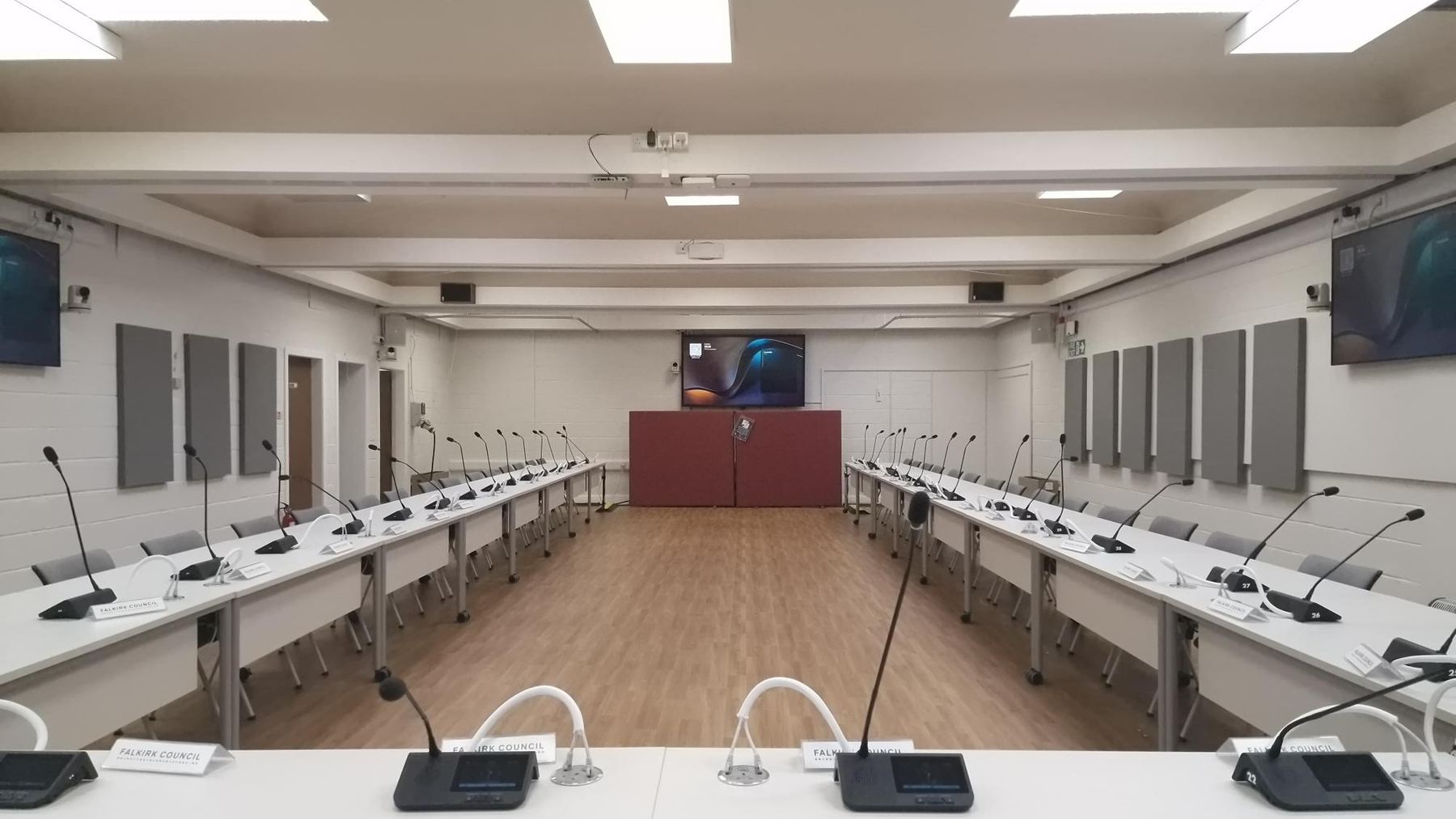
Hybrid council meetings: Falkirk Council committee chamber, full room view, showing the delegate microphone and camera installation

The legal nuance worth knowing

During the pandemic, temporary regulations allowed councils across the UK to hold entirely remote formal decision-making meetings. That blanket flexibility was subsequently allowed to lapse in England and Wales, meaning formal meetings generally need members physically present again in most cases, though the specific position varies and has continued to be debated. What hasn’t changed is that hybrid working, where members are physically present but the public can view remotely via webcast, and officers or the public can join specific sessions online, remains both legal and now completely normal practice.

This distinction matters for procurement: you’re not usually buying a system to enable a fully virtual chamber. You’re buying a system that makes an in-person meeting genuinely accessible to a remote public and, where policy allows, remote committee members.

What hybrid council meetings AV actually needs to cover

In practice, three things do almost all the work: automated, speaker-linked cameras so the person talking is the person on screen without a camera operator; a livestream/webcast encoder that pushes the feed to the council’s website reliably, every single time, because a failed webcast at a controversial planning meeting is a headline nobody wants; and public gallery AV, a hearing loop and clear audio for anyone actually sitting in the room.

The mistake worth avoiding

Democratic services teams often get pulled into researching webcasting platforms as if it’s a software decision in isolation. It isn’t, the platform choice needs to sit on top of camera, microphone and room acoustics that are specified together, not bolted on afterwards. A brilliant webcasting platform fed by a single ceiling microphone across a 20-person chamber still sounds terrible to the public watching at home.

We specified exactly this combination, auto-tracking cameras, a full delegate microphone system, webcasting and public gallery AV, for Falkirk Council’s Committee Chamber, delivered in time for a set of meetings the Council couldn’t postpone. See how it came together in our Falkirk Council case study.

The bottom line: Design the room’s AV and the webcasting platform together, not as two separate purchases, and get current legal advice on your specific meeting-type requirements before finalising the brief, since the rules have moved more than once in recent years.
Questions worth asking

FAQ

Do councils still need to hold meetings in person?

In England and Wales, the temporary flexibility for fully remote formal decision-making meetings introduced during the pandemic was allowed to lapse, meaning most formal meetings currently need members physically present, but the position has been debated and can change, so check current guidance for your authority.

What’s the difference between hybrid and fully remote council meetings?

A hybrid meeting has members physically present in the chamber while the public (and sometimes specific attendees) join or watch remotely. A fully remote meeting has no one physically present, a different, and currently more legally constrained, format.

Does a hybrid meeting AV system include electronic voting?

Not as standard, hybrid meeting AV (cameras, webcasting, public gallery audio) and electronic voting are typically specified as separate elements of a chamber upgrade, though they’re often installed together. We cover how electronic voting works, and how it interacts with delegate position and public or private ballots, in our guide to electronic voting systems.

Have a project in mind?

Tell us what you’re trying to fix and we’ll tell you honestly what’s realistic.

📞 0845 095 3600  ·  ✉ av@efficient-is.co.uk

Book a discovery call

How Scottish Councils Can Procure AV Without Running a Full Tender

The Scotland Excel AV framework, explained in plain terms

Public sector procurement rules exist for good reasons, but running a full tender for a single AV project is often disproportionate to the job. That’s exactly what frameworks like Scotland Excel’s are for.

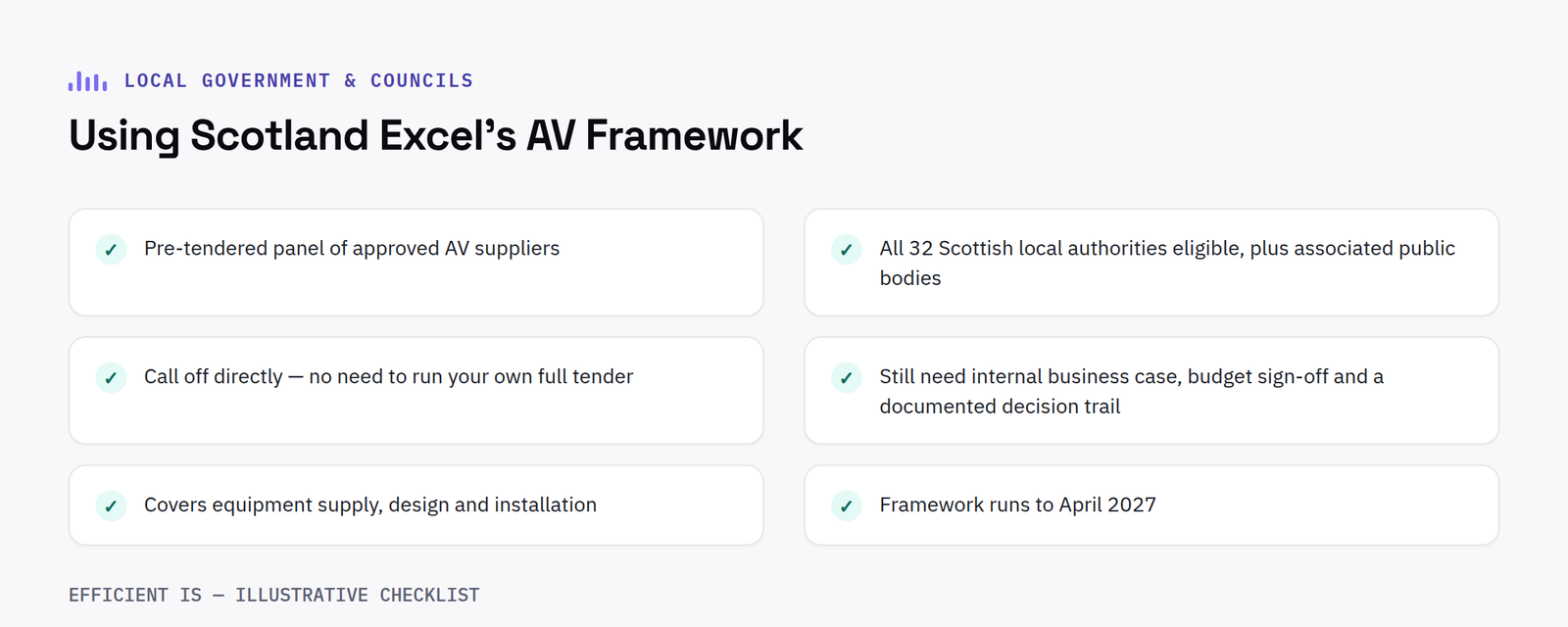
Checklist for using Scotland Excel's AV framework

What a framework actually does

A framework is a pre-tendered panel of approved suppliers that public bodies can call off directly, without running their own full procurement exercise for every individual project. Scotland Excel’s Audio Visual framework covers design, supply and installation, and runs to April 2027, giving continuity for multi-year and phased projects.

Who can actually use it

All 32 Scottish local authorities are eligible, along with a range of associated public bodies, some NHS boards, further and higher education institutions and other organisations that qualify to use Scotland Excel frameworks. If you’re unsure whether your organisation qualifies, that’s worth confirming with Scotland Excel or your framework-approved supplier before scoping a project.

What it doesn’t do

A framework doesn’t remove the need for good internal governance, most public bodies still want a business case, budget sign-off and a documented decision trail for any significant spend. What it removes is the multi-month, resource-heavy process of running an OJEU/Find a Tender exercise from scratch for something a framework already covers.

The bottom line: If your organisation is eligible to use Scotland Excel, a framework call-off is almost always faster than a full tender for AV design, supply and installation, worth checking eligibility before defaulting to a full procurement exercise.
Questions worth asking

FAQ

What is the Scotland Excel Audio Visual framework?

A pre-tendered panel of approved AV suppliers that eligible Scottish public bodies can call off directly, covering equipment supply, design and installation, running to April 2027.

How do we start using the framework?

Contact a framework-approved supplier directly with your requirement, they’ll confirm the correct call-off route for your organisation’s procurement team.

How a call off actually works in practice

Using a framework does not mean skipping process entirely, it means following a much shorter one. In practice a call off usually starts with a short written requirement, room sizes, use cases and any specific compliance needs, sent to one or more framework approved suppliers. Suppliers then return a proposal and quotation against that requirement, evaluated internally by the public body against whatever criteria the framework specifies, most commonly a mix of price and quality. Once a supplier is selected, a purchase order is raised directly against the framework agreement rather than a new standalone contract, which is what removes most of the time a full tender would otherwise take.

How suppliers are evaluated to get on the framework in the first place

Framework suppliers are not simply invited on. They go through their own competitive tender to be appointed to the panel in the first place, assessed against technical capability, financial standing, quality of past delivery and price. That upfront vetting is part of what makes call off procurement faster for the public body afterwards, the competitive testing has already happened once at framework level, so it does not need repeating for every individual project drawn down against it.

It is also worth checking a framework’s remaining term before committing to a multi-year rollout plan. Scotland Excel’s Audio Visual framework runs to April 2027, comfortably long enough for most single projects but worth factoring in if a phased rollout is expected to run across several budget years, since a call off generally needs to be raised while the framework itself is still live, not after it has expired and a successor framework is still being established.

Have a project in mind?

Tell us what you’re trying to fix and we’ll tell you honestly what’s realistic.

📞 0845 095 3600  ·  ✉ av@efficient-is.co.uk

Book a discovery call

Find our work useful? Add us as a preferred source on Google.