
Electronic Voting Systems for Council Chambers: How They Work and What to Specify
Getting electronic voting right in a council chamber has less to do with the vote itself and more to do with the delegate conference system it runs on, and knowing exactly what to put in the brief so remote and in-room members vote on equal terms.
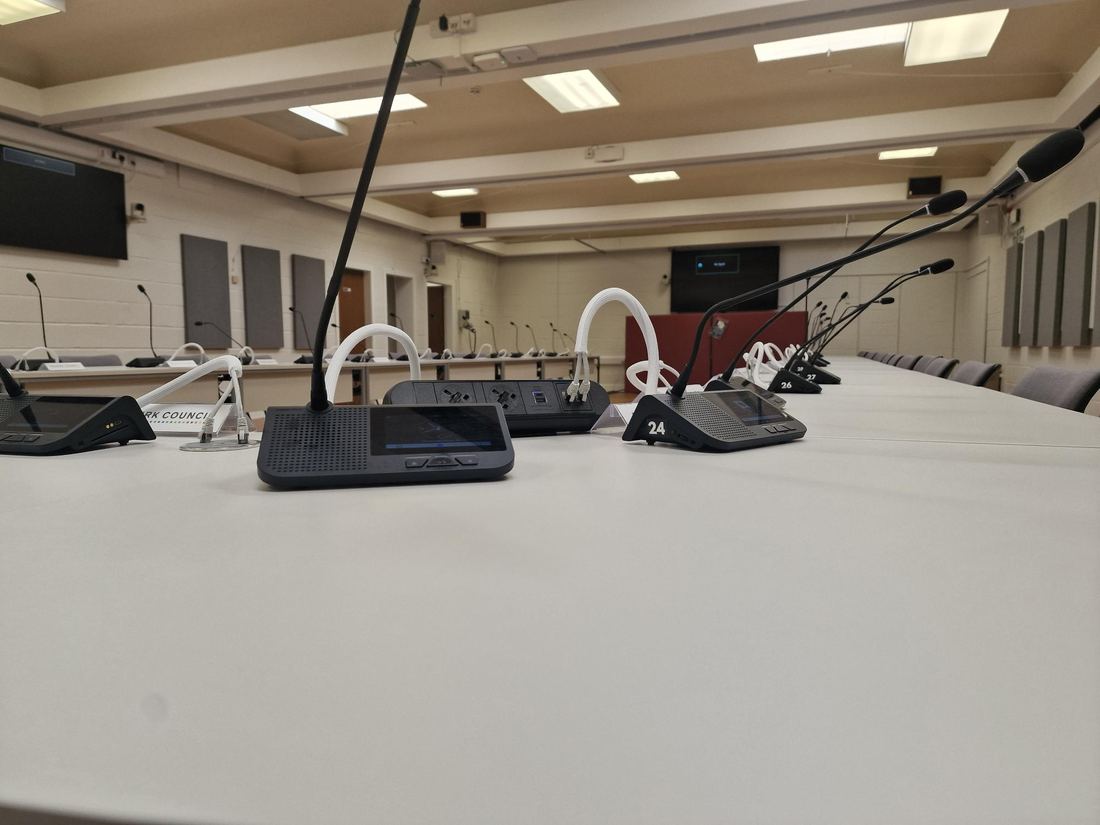
An electronic voting system ties each councillor’s vote to their seat automatically, records it without a show of hands or a roll call, and, done properly, treats a councillor joining remotely exactly the same as one sitting in the chamber. Getting that right is less about the voting button itself and more about the delegate system it’s built on top of.
Most of the questions that come up when a council is specifying this for the first time aren’t really about voting at all, they’re about the conference system underneath it, because that’s what makes a vote attributable, auditable and available to remote members in the first place.
How electronic voting systems are actually tied to a vote
In a modern chamber system, voting isn’t a separate device bolted on, it’s a function of the same touchscreen or keypad unit already sitting at each delegate’s seat for microphone control and discussion requests. Because that unit is registered to a specific, numbered position, a vote cast from it is automatically attributed to the correct councillor without anyone needing to call a register or count hands. That’s the detail that makes the rest of it work: attribution has to be automatic, or the system is really just a fancier way of doing what a show of hands already did.
Remote participation works the same way in principle, extended over the network. A councillor joining via Microsoft Teams or a similar platform casts their vote through the same underlying system, and it’s recorded against their name exactly as an in-room vote is, provided the system was specified to support that from the outset, rather than added as an afterthought once hybrid meetings became the norm.
Public versus private voting modes
Council business needs both, and they’re genuinely different requirements, not a toggle on the same feature. A public vote, the outcome of a planning decision, a budget line, a motion, needs to show how each member voted, both in the room on a results screen and in the published minutes. A private or secret ballot, more common for internal appointments or sensitive personnel matters, needs the opposite: an aggregate result with no individual attribution visible to anyone, including whoever’s operating the system.
If a chamber’s system can only do one of these, it constrains what business can actually be conducted in that room, or forces a return to manual methods for anything the electronic system can’t handle discreetly. Specify both modes explicitly in the brief, don’t assume “electronic voting” as a single line item covers it.
What this means for accessibility and equal participation
A voting system that’s technically available to remote councillors but harder to use than being physically present isn’t really equal participation, it’s a workaround. The practical test is whether a councillor joining from home has to do anything different from one sitting in the chamber to cast a valid, correctly attributed vote. If the answer is “log into a separate portal” or “email the clerk,” the system hasn’t actually solved the problem it was bought to solve.
This is also where voting sits alongside the chamber’s broader hybrid meeting setup, camera tracking, audio quality and streaming all feed into whether a remote councillor can follow proceedings closely enough to vote on an informed basis in the first place. Our guide to hybrid council meetings and AV covers that wider picture in more detail.
What to put in the brief
A tender or specification for electronic voting should state: whether both public and private/secret ballot modes are required; whether remote councillors must be able to vote on the same basis as those in the room; how vote results need to be displayed (a chamber screen, minutes export, or both); and what happens if a delegate unit or a remote connection fails mid-vote, a fallback procedure should exist and be specified, not discovered during a live meeting. Naming the underlying conference system by outcome (“integrated electronic voting tied to delegate position, with public and private modes”) rather than a vague “voting capability” line gets you comparable bids, for the same reasons covered in our guide to writing an AV tender brief that gets you comparable bids.
Efficient IS designs and delivers integrated conference, voting and broadcast systems for council chambers and committee rooms, see our Falkirk Council case study for how this looked in practice, or our Council Chamber & Broadcast page for the full service. For Scottish public sector bodies, we’re an approved supplier on the Scotland Excel framework, so a project with us doesn’t need a full tender process.
FAQ
How does electronic voting know which councillor is voting?
Each delegate touchscreen or keypad unit is registered to a specific, numbered seat, so a vote cast from it is automatically attributed to that councillor, no manual roll call or hand count needed.
Can remote councillors vote in the same system as those in the chamber?
Yes, provided the system is specified for it from the outset, a remote councillor joining via Teams or a similar platform can cast a vote through the same underlying system, recorded against their name exactly as an in-room vote is.
What’s the difference between public and private electronic voting?
A public vote shows how each member voted, visible in the chamber and in published minutes. A private or secret ballot shows only the aggregate result, with no individual attribution visible to anyone, both are genuinely different features, and a chamber system should support both if council business requires it.
Have a chamber or committee room project in mind?
Tell us what you’re trying to fix and we’ll tell you honestly what’s realistic.











