Control Room Upgrade: How to Replace Legacy AV While the Room Stays Live
Control Room Upgrade: How to Replace Legacy AV While the Room Stays Live
You can’t switch a control room off for a fortnight. So the new system gets built beside the old one, and the old one stays until operators say otherwise.
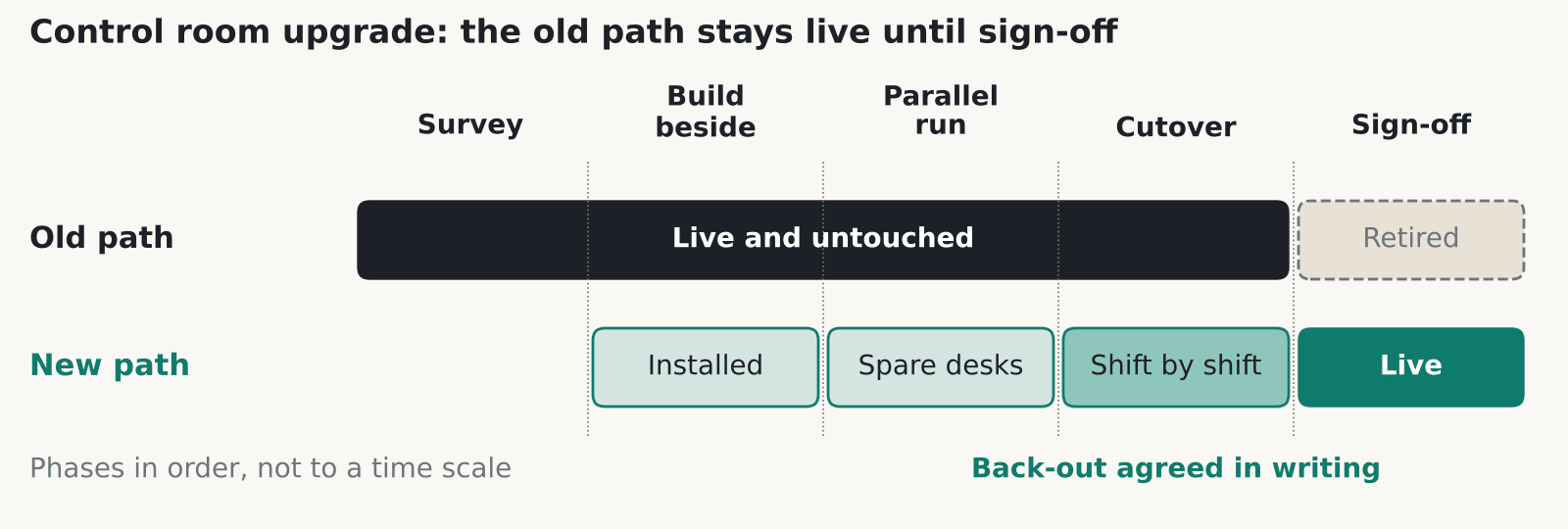
A control room upgrade has to happen around live operations, so the new system runs beside the old one until operators have signed it off. Plan for a survey, a parallel run, a staged cutover, a written back-out plan and training on every shift, nights included. Wall design is a separate subject, and our police control room video wall post covers it.
Survey what’s really in the room first
The first job in any control room upgrade is a list of everything that exists, because the drawings are usually wrong. Write down every source (CCTV, ANPR, CAD, GIS, broadcast feeds, workstation PCs), every display and every cable run, plus who owns each one.
In our experience a legacy DVI or KVM estate hides undocumented splitters, adapters and EDID quirks. EDID is the data a screen sends to say which resolutions it accepts, and old kit often depends on it in odd ways. Ask the operators what they actually use. They’ll know which input has been flaky for years.
Survey the building as well. Check whether you can reach the ceiling void or the floor void out of hours, where power comes from and whether there’s a UPS. The new head-end, which is the rack of controllers and switching behind the wall, may need more power and cooling than the old one had.
How a control room upgrade runs in parallel
A parallel control room upgrade builds the new signal path alongside the old one and leaves the old one untouched. Install the new controllers and cabling. Test them on spare operator positions, or on a position taken out of rotation for a planned period. Then move users across one position or one shift at a time.
The old path stays physically intact until sign-off. That sounds wasteful. It’s also what lets you say yes to a back-out at 3am. We’d skip a weekend big-bang cutover unless the room has a genuine quiet period and a rehearsed way back.
Our control rooms page describes four linked systems in a room: the display wall, the operator desks, the signal path and voice comms. It also describes duplicated signal paths and controllers, a UPS with an optional generator, and phased refits that keep the room running. Plan the sequence around those four, because each has to be moved without breaking the others.
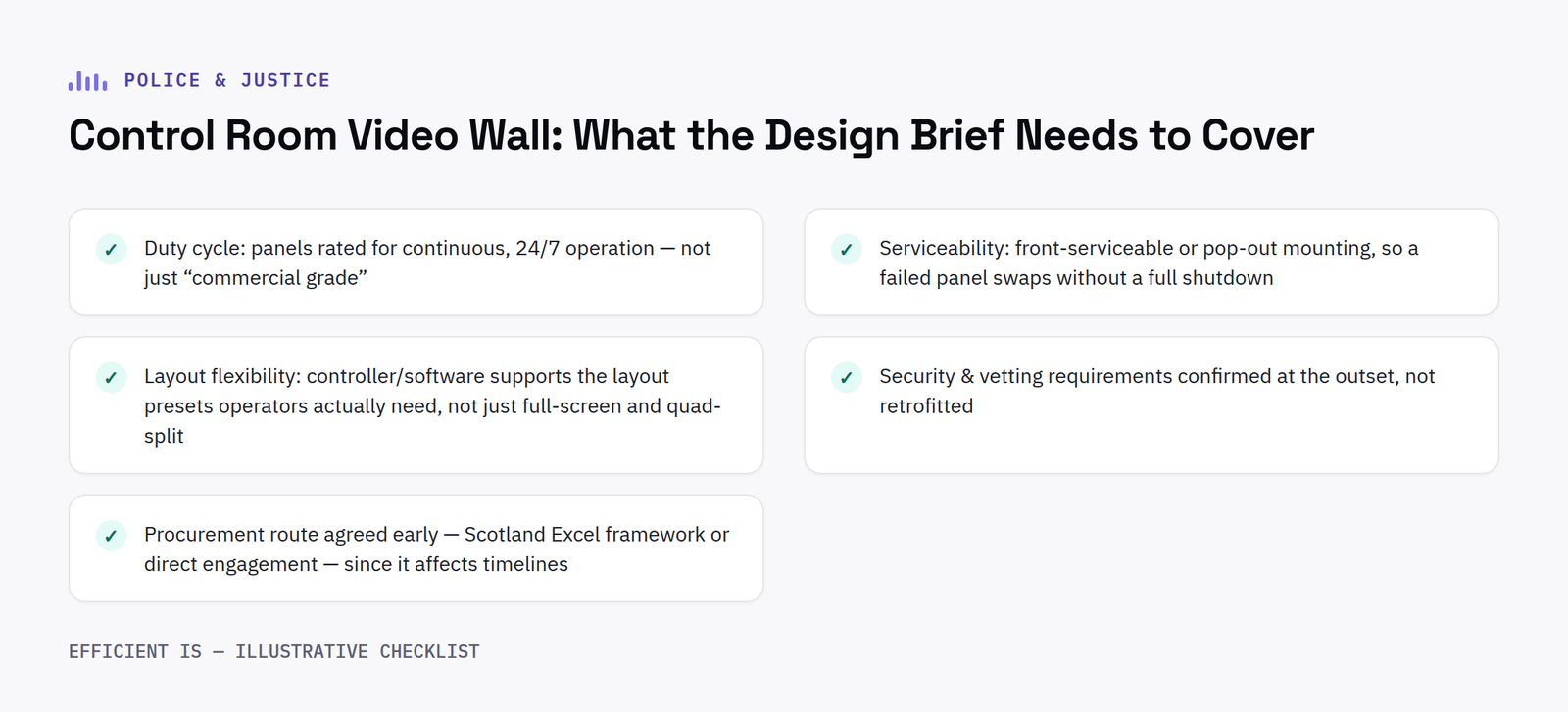
If the wall itself is changing, our video walls page covers the display side.
Cutover and back-out in writing
Agree in writing what back-out means for your control room upgrade. Name who decides, and set the time by which they must decide. Without that, a failed cutover turns into an argument at the worst hour. The back-out time matters most. If the decision point is 2am and the old path takes an hour to restore, you need to know that before you start.
Do each step in the quietest agreed period, such as a night or a planned exercise, and keep a reduced-capability fallback running through it. That can be as simple as direct monitors on the busiest positions.
Write the plan down as a short table: step, owner, start time, point of no return, back-out action and time to restore. Share it with the shift supervisors as well as the project team. If only the engineers understand the plan, it will stall the first time an incident lands mid-cutover.
Hold spares on site for anything with a long lead time, such as controller cards, power supplies and a spare display. Agree who owns them. Moving one shift at a time also limits the damage, because a fault hits one shift’s worth of people.
Commissioning and training that operators can sign
Commissioning a control room upgrade means testing every source on every layout, and then testing failure. Pull a cable. Drop a controller input. Remove power to one PSU. Record what happens each time.
Get operators to sign the layouts they’ll use. Engineers can sign off the specification, but only operators know whether a layout works at 4am with three incidents running.
Leave time for faults. Commissioning squeezed to hit a date usually lands the problems on live shifts. Agree before the work starts that testing carries on until the failure tests pass, and put snagging on the handover list with a named owner and a date. Tell operators in plain terms what has changed, including any layout presets that moved, because muscle memory catches people out fast.
Training should be short and role-based, delivered at the console and repeated across shifts, including nights. Leave a one-page quick reference at each position. Then hand over documentation: cable schedules, source lists, IP addresses and the back-out plan you used. Without it, the next person starts the survey again from scratch.
Which standards apply to a control room upgrade
ISO 11064 is a multi-part ergonomics series for control centres, and it isn’t an AV standard. The ANSI webstore lists seven parts: principles for design, arrangement of control suites, room layout, workstation layout and dimensions, displays and controls, environmental requirements and evaluation. Part 6, on the environment, mentions upgrading and refurbishment in its scope. We haven’t seen figures from any part for viewing distance or lighting, so we don’t quote any.
Glare is a legal duty in Great Britain. The Display Screen Equipment Regulations 1992 say a screen should be free of reflective glare and reflections liable to cause discomfort, and that workstations should have no direct glare and no distracting reflections. The HSE’s DSE page applies this to people who use a screen daily for continuous periods of an hour or more, and says employers must do a workstation assessment and provide an eye test on request. A new wall changes the light in the room, so reassess.
AVIXA’s V202.01 covers display size and viewing positions. We name it without an edition year because the page showed two. BS 7958:2015 covers CCTV management and operation, so check the current edition with BSI.
BS EN 50518 applies only if your room is an alarm receiving centre. The NSI notice says the 2019 edition replaced the earlier three-part series. Police, fire and council CCTV rooms aren’t alarm receiving centres by default.
Where a control room upgrade goes wrong
In our experience most failures in a control room upgrade come from small things nobody tested, and the same ones come up again and again. Old gear depends on EDID or resolution behaviour that the new controller doesn’t copy. Audio and radio integration gets forgotten, because the project was labelled “video”. HDCP, the copy protection on some sources, blocks a feed nobody tried. The ceiling void can’t be reached out of hours. The UPS was sized for the old head-end.
One procurement note. CCS agreement RM6225, which covered AV technical consultancy and commissioning, ran from 1 March 2021 to 28 February 2026 and has expired. The Government Commercial Agency page says there’s no replacement DPS and that many of its services are covered by RM6116 Network Services 3, lot 4b, which runs to 17 July 2027. Check with your procurement team whether that lot fits your scope.
For a finished room at a fire and rescue service, see our Scottish Fire and Rescue Service Incident Command Centre case study. Then book your own survey first. The parallel run and the cutover plan both depend on it.
FAQ
How do you do a control room upgrade without shutting the room down?
You run old and new in parallel. The new signal path and controllers go in beside the old ones, get tested on spare positions and then take over one position or one shift at a time. The old path stays in place until operators sign off.
What should a control room upgrade survey cover?
Every source, display and cable run, and who owns each one. That includes CCTV, ANPR, CAD, GIS, broadcast feeds and workstation PCs. Ask operators too, because they know which inputs misbehave.
Does ISO 11064 apply to a control room upgrade?
It covers control centre ergonomics: layout, workstations, displays and controls, environment and evaluation. It’s an ergonomics series, so use it as a design reference, and check any figure you’re quoted against the standard’s own text.
Is there a legal duty on glare in a control room?
In Great Britain the Display Screen Equipment Regulations 1992 require screens free of reflective glare and reflections liable to cause discomfort. HSE says employers must carry out DSE workstation assessments for regular users. A new wall can change reflections, so reassess after the work.
When does BS EN 50518 matter?
Only if your room is a monitoring and alarm receiving centre. The standard defines two categories of centre, one for security-related connections and one for fire, social and lone-worker alarms. Police, fire and council CCTV rooms aren’t covered by default.
Can I still buy through CCS RM6225?
No. It expired on 28 February 2026. The GCA page points to RM6116 Network Services 3, lot 4b, live until 17 July 2027, for many related services. Ask your procurement team whether it suits your scope.
Planning a control room refresh?
Tell us what’s in the room now and when it can’t go down. We’ll give you a straight answer on how to phase it, from a Glasgow team used to live rooms.