
Teams Rooms or Zoom Rooms? The platform your company already uses usually decides it.
This decision looks like a technology choice. It’s actually an org-chart question, which platform does your business already run meetings on.
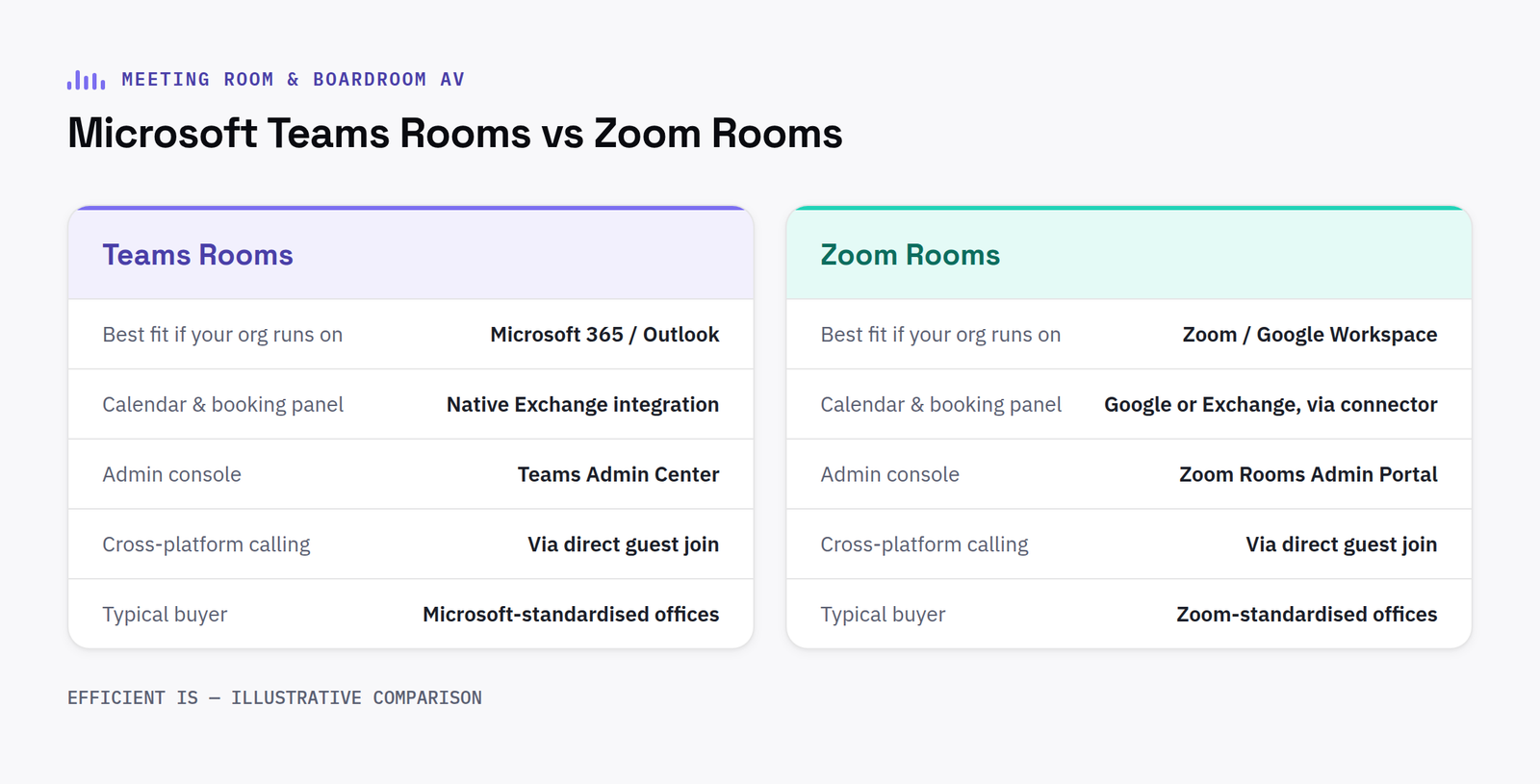
Why this is rarely a close call
If your organisation already runs on Microsoft 365, a certified Microsoft Teams Rooms system is almost always the right default, it integrates natively with the calendar, licensing and admin tools you already have. The same logic applies in reverse for organisations standardised on Zoom. Choosing the platform your staff don’t already use daily just adds a second login and a second set of habits to learn.
The bit that actually matters more: interoperability
Industry surveys now regularly put the share of meetings with at least one remote participant at 70% or more: and a meaningful share of those involve someone joining from a different platform than the room is built for. That’s why interoperability, not platform loyalty, has become the defining meeting-room AV priority: a well-specified room should let a Zoom-only external guest join a Teams-native meeting without anyone in the room noticing the difference.
Certified room hardware from Logitech, Yealink, Poly and others is increasingly built platform-agnostic for exactly this reason, the same physical camera and audio bar running Teams in one room and Zoom in the next, switched at the compute layer rather than the hardware.
Sizing the room correctly
Huddle rooms (2 to 6 people) generally need one all-in-one video bar and nothing more elaborate. Mid-size meeting rooms (6 to 14 people) benefit from a dedicated room PC or compute puck rather than relying on someone’s laptop. Larger boardrooms need multiple cameras or an auto-framing wide-angle system so remote participants aren’t staring at the back of someone’s head for an hour.
FAQ
Should we choose Microsoft Teams Rooms or Zoom Rooms?
In most cases, whichever platform your organisation already uses for daily meetings, the value is in native calendar and licensing integration, not the hardware itself.
What if guests join from a different platform than our room is set up for?
Well-specified modern room hardware is largely platform-agnostic at the hardware layer, so a Teams-native room can generally host a Zoom guest without anyone noticing a difference.
Certified hardware, and why the tier matters
Both Microsoft and Zoom operate certification programmes for room hardware, and not every device sold for meeting rooms carries a full certification. Certified hardware has been through the platform’s own compatibility and performance testing, giving a reasonable guarantee that camera framing, audio pickup and firmware updates will keep working reliably as the platform itself evolves. Uncertified or generically compatible hardware can still function, but any issues that surface later are harder to get support for, since neither the room hardware vendor nor the platform provider will necessarily take ownership of a fault outside their certified combinations.
What installation actually covers beyond the hardware
A proper meeting room AV installation is not just mounting a camera and a screen. It includes provisioning the room account correctly within the organisation’s tenant, confirming the network can support the bandwidth and quality of service a video call needs, and testing the room end to end with a real call before staff rely on it for the first time. Skipping this step is the most common reason a room that looks correctly installed still frustrates the first team that tries to use it.
Have a project in mind?
Tell us what you’re trying to fix and we’ll tell you honestly what’s realistic.











